
Note: When using the qubeCONNECT - Gaumard API interface, the following steps must be carried out in qubeMONITOR. If this is not the case, only the license from qubeCONTROL must be disconnected.
- Open qubeCONTROL
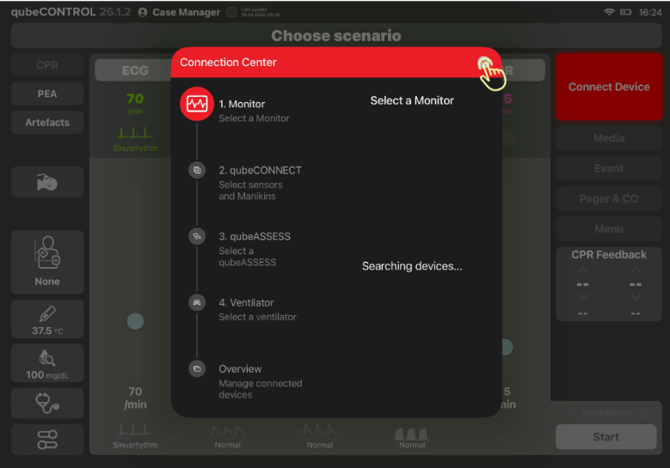
- The connection center opens automatically; close the connection center again.
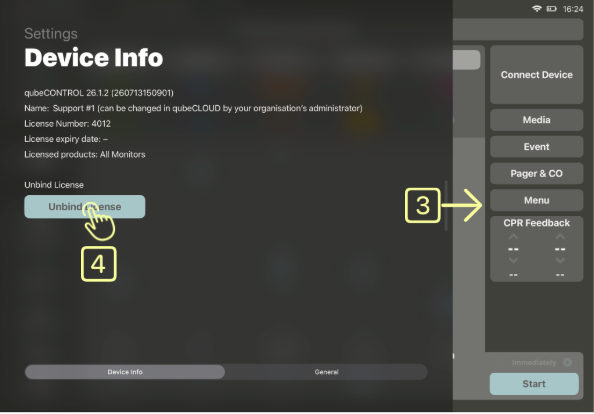
- Swipe from the left side of the screen to the center to open the device information.
- Now click on the “Disconnect License” button.
- After the license has been disconnected, close qubeCONTROL and switch to the main screen.
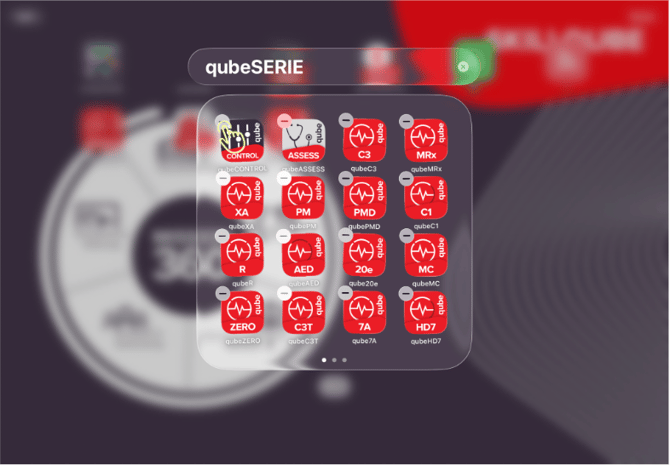
- Please press and hold qubeCONTROL for five seconds until a minus symbol appears at the top left.
- Press the minus symbol and select the “Delete App” option.
Reinstallation:
- After you have uninstalled the App, please go to the App Store

- Please enter “Skillqube GmbH” in the search bar at the top.
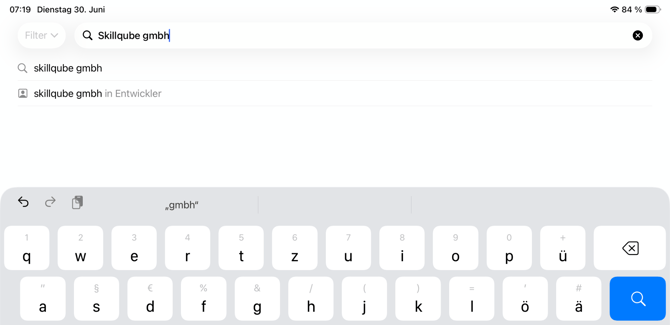
- Please select the desired App, e.g. qubeCONTROL or qubeX.
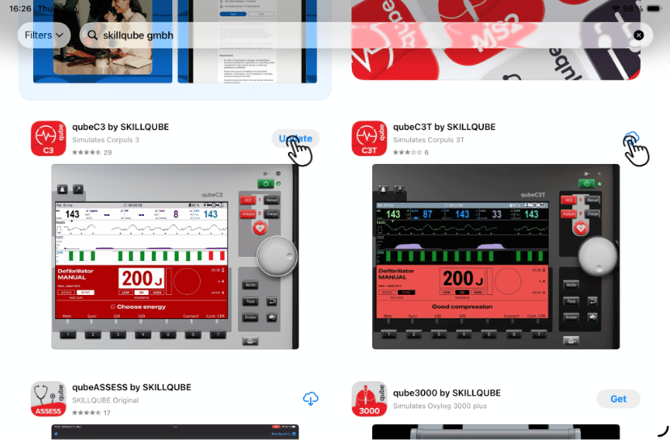
- After you have reinstalled the app, please open the desired app.
- Log in as usual and select the appropriate license.
ATTENTION: When using the qubeCONNECT - Gaumard API interface, the login and the selection of the appropriate license must be carried out in qubeMONITOR. If this is not the case, the login and the selection of the appropriate license must only be carried out in qubeCONTROL.
Note:
If you do not disconnect the license during uninstallation or cannot reconnect it after reinstallation, this cannot be done without approval from SKILLQUBE Support.
Please write an email to support@skillqube.com at this point.