
If you notice during training that your license isn’t working or if you encounter technical issues (e.g., a malfunctioning iPad), you can generate an emergency license on your own directly through qubeCLOUD. The emergency license is valid for 48 hours and allows you to continue training seamlessly without any prolonged interruptions.
As soon as activation is complete, SKILLQUBE will be automatically notified via email. Our support team will then contact you immediately to resolve your issue.
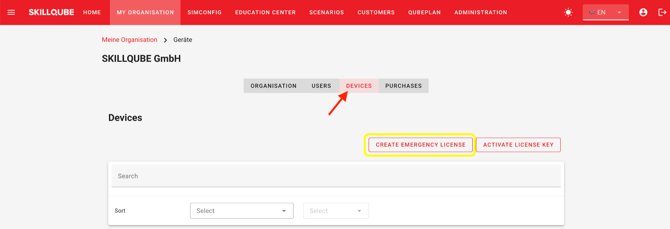
To create an emergency licence, go to My Organisation -> Devices -> Create emergency licence in qubeCLOUD.
A window will then open in which you must complete the compulsory fields before you can create the emergency licence.
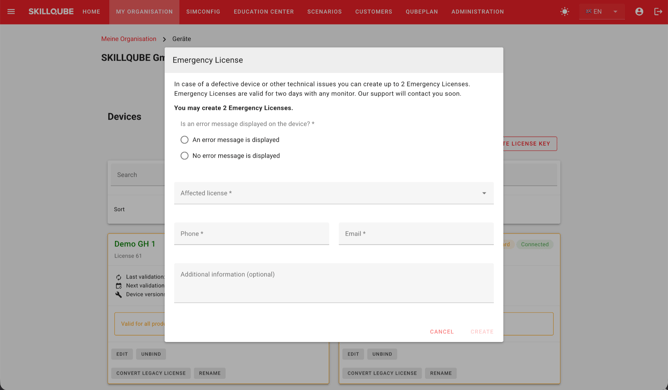
The emergency licence is valid for 48 hours and covers all monitors in the qubeSERIES. Once you have created the emergency licence, please log in to the qubeCONTROL app again using your login details and follow the licence activation process there.