
The tplink TL-WR902AC model is supplied as the WLAN router.
The most relevant functions are explained below. All details can be found on the manufacturer's website: https://www.tp-link.com/us/user-guides/tl-wr902ac_v3/
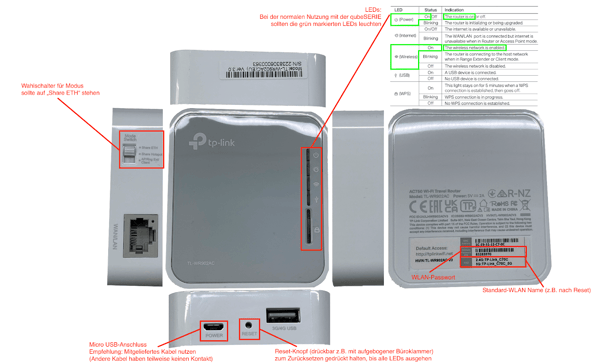
Hardware:
Web Interface:
To access the web interface, connect to the WLAN, then call up the IP address 192.168.0.1. If the access data for the web interface is unknown, the router can be reset. To do this, the Reset button must be pressed (e.g., with a straightened paperclip) until all LEDs on the router go out.
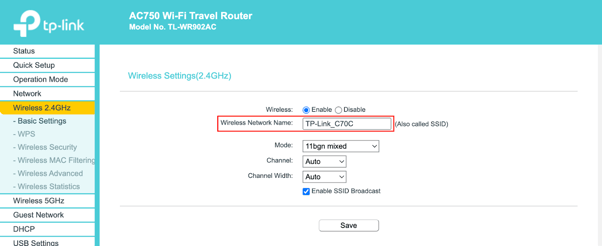
The network can be renamed under Wireless 2.4GHz > Basic Settings:
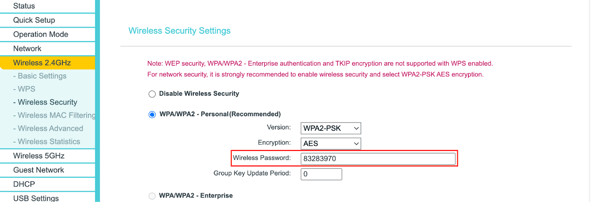
The password can be changed under Wireless 2.4GHz > Wireless Security:
Under Wireless 5GHz, the same settings could be made for the 5GHz network. The 5GHz network is not absolutely necessary and can be deactivated.