
Before transferring your iPad to a new system, you must complete the following steps in qubeControl.
- Open qubeCONTROL
- The connection center will open automatically; close the connection center again.
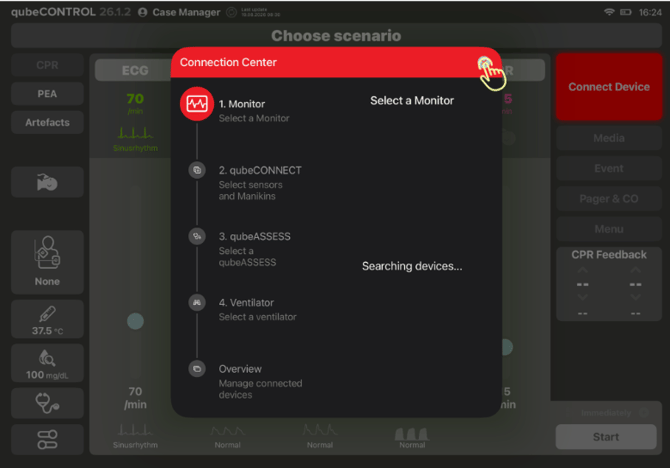
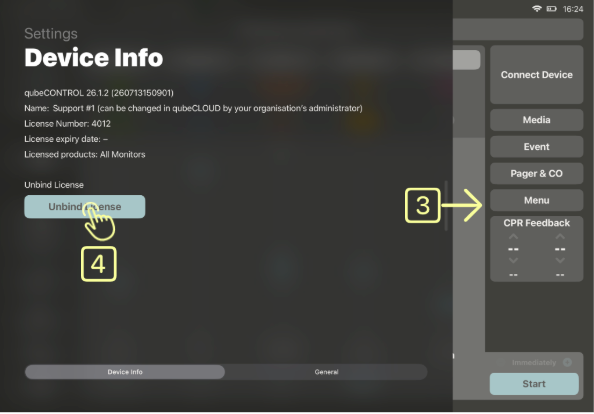
- Swipe from the left side of the screen towards the center to open device information.
- Now click on the button “Unbind License”.
Now you can transfer your iPad to a new system using Apple's instructions.
Below you will find the links to these instructions.
https://support.apple.com/de-de/119967
Once you have set up your new iPad, sign in as usual to qubeCONTROL with “Log In” and activate your license.