
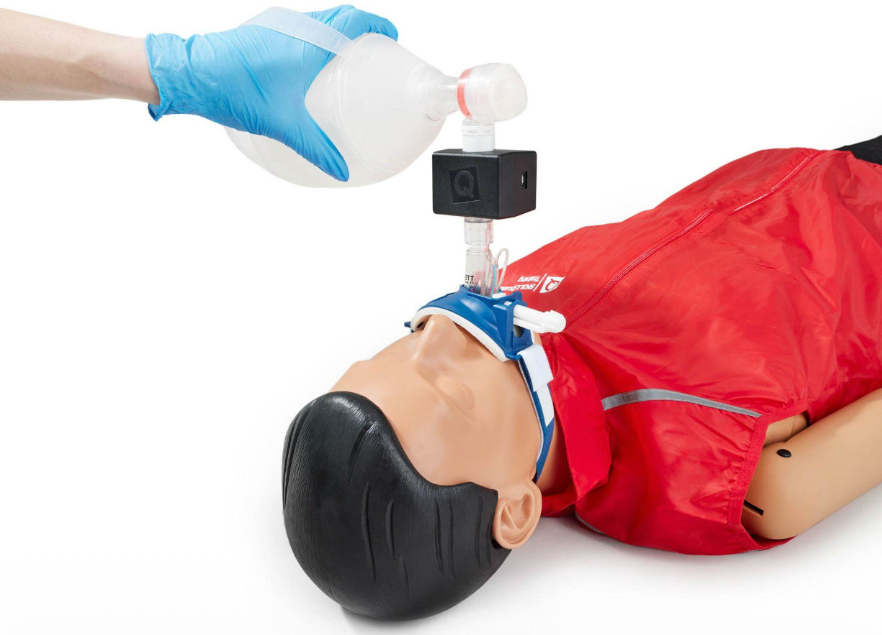
qubeAIRFLOW
The SKILLQUBE ventilation sensor assists you in training manual ventilation. The qubeAIRFLOW
sensor has the following functions:
- Capturing VT inspiratory
- Conditionally capturing Vte expiratory
- Capturing respiratory rate
How to connect the qubeAIRFLOW to the controller
Ensure Bluetooth is enabled and connect the controller to the monitor as usual. Turn on the qubeAIRFLOW. Once it's ready, it will light up green.
After successfully connecting to the monitor, you can search for the sensor by clicking “scan CPR” in the controllers connection center. The qubeAIRFLOW will then be displayed, and you can connect to it with a simple tap. When the connection is successful, the LED light will change from green to blue, and the sensor can be used.
How to use the qubeAIRFLOW
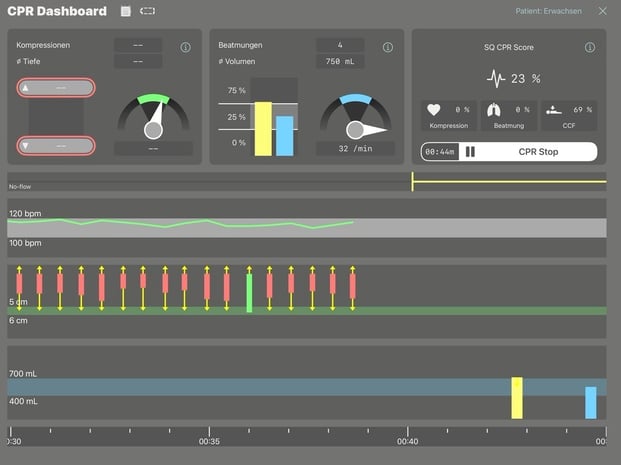
The sensors data is sent to the CPR dashboard of the controller, where it is displayed graphically and numerically.
Charging the Battery
The device is charged via a micro-USB cable on the side. This cable is included in the package.
The cable can be connected to any standard USB charging port.
It uses a 1000mAh lithium-polymer battery.
LED function
|
Colour |
Scheme |
Status |
|
Light blue |
Increasing & 2x flashing (after switching on) |
Device starts, please wait |
|
Green |
Permanently luminous |
Device switched on and ready for connection |
|
Blue |
Permanently luminous |
Device connected |
|
Orange |
Permanently luminous (when loading) |
Device charges |
|
Orange |
Flashing 5x (directly after switching on) |
Internal error, please contact support |
|
Red |
Permanently flashing (after connection established) |
Internal error, please contact support |