
If the monitor and controller are connected but the settings on the controller are not being transferred, this is usually due to a version difference.
First, you should check the version numbers on both the controller and the monitor. To do this, open the device information in both apps. Either tap the app logo (qubeCONTROL, e.g. qubeC3, qubeX, etc.) within the app, or swipe inwards from the left edge of the screen towards the centre. The version number is displayed in the device information, amongst other details. The first digit – and ideally the first two digits – must match. The last digit may differ, and the number in brackets is irrelevant (e.g. 26.1.2 (260713150901)).
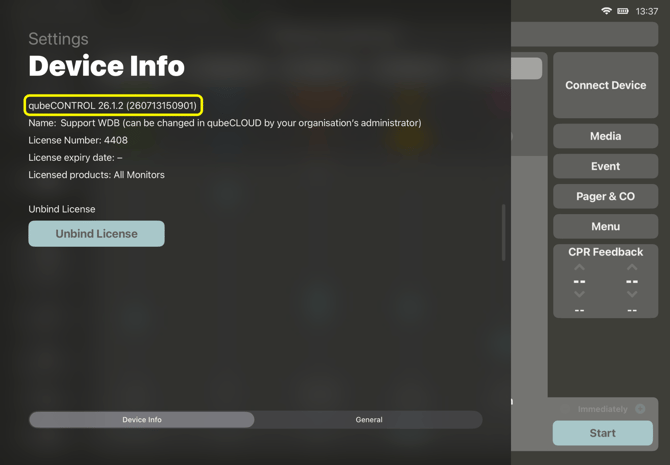
If the versions do not match, an update must be carried out.
To do this, the iPads must be connected to an internet-enabled Wi-Fi network and the latest version of the app must be downloaded from the App Store on the device.