
The screen content of the qubeMONITOR (not qubeCONTROL and qubeASSESS) The simulation can be displayed live wirelessly on any device in a browser. The basic requirement for this is that the simulation system (qubeCONTROL and qubeMONITOR) and the device on which the content is to be displayed are on the same Wi-Fi network.
First, you need to connect qubeCONTROL and the qubeMONITOR as usual via the Connection Center. Open the overview in the Connection Center. Next to the connected monitor, you can access the monitor's details page via the gear icon.
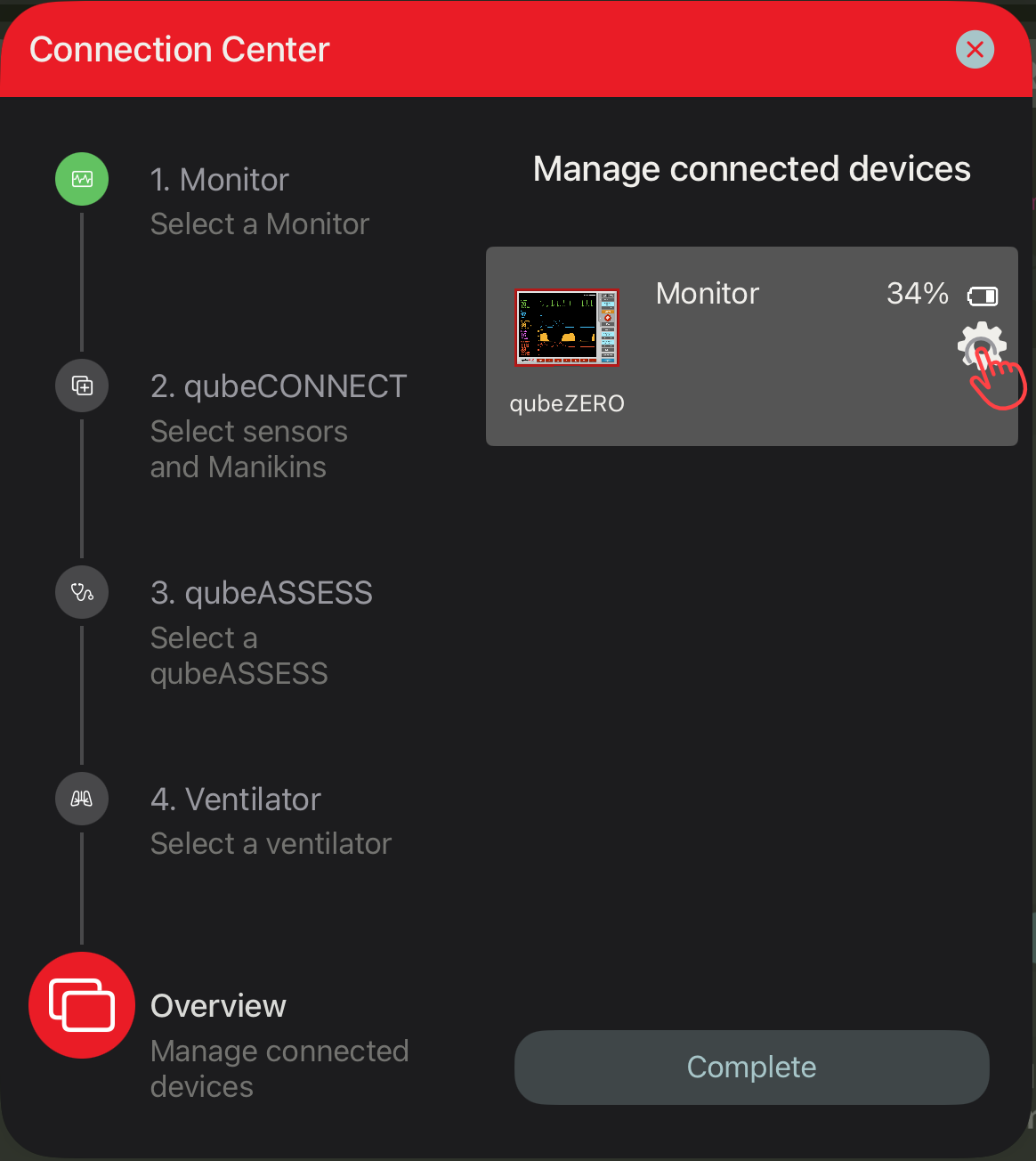
The IP address for streaming is displayed on the details page.
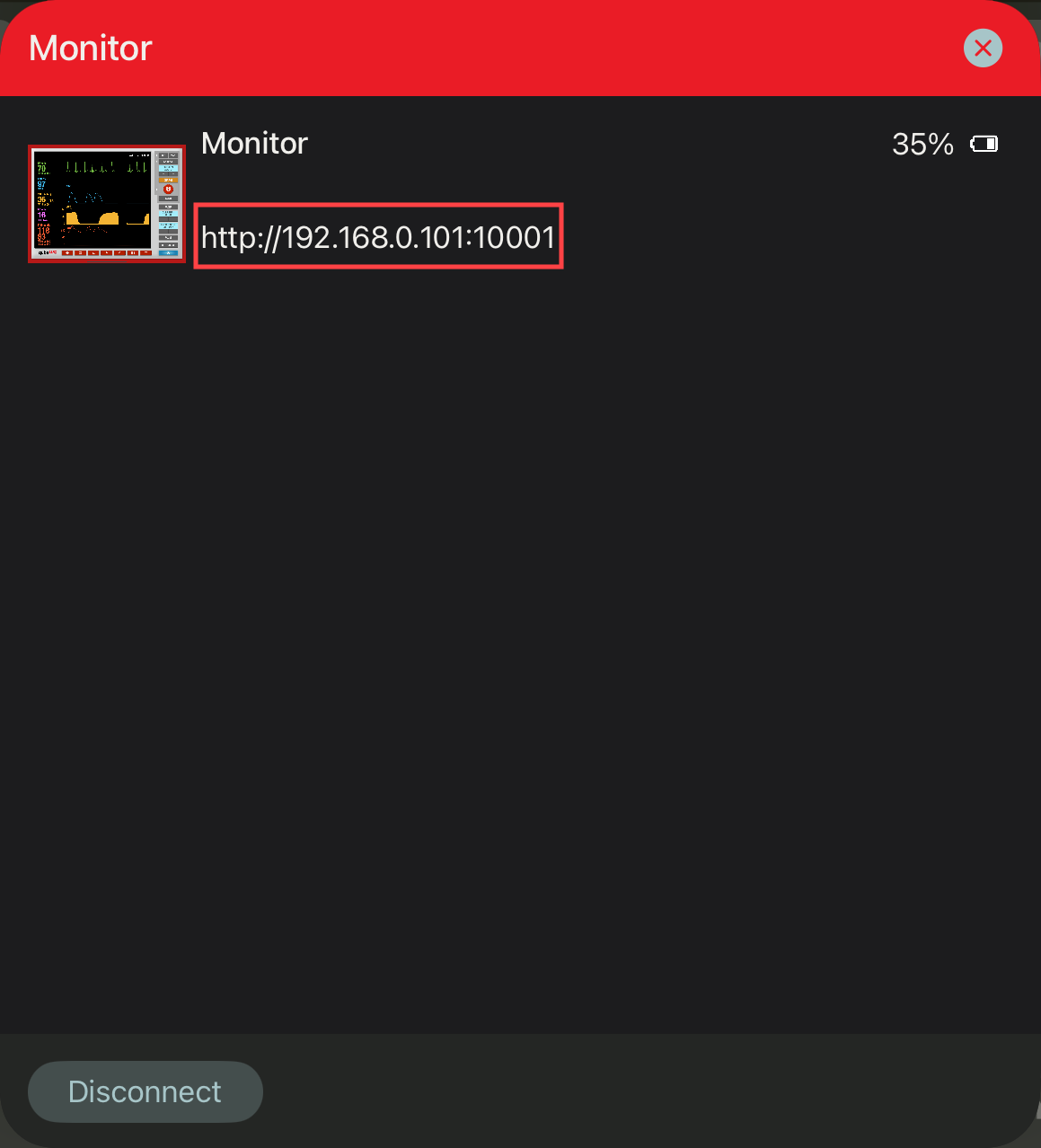
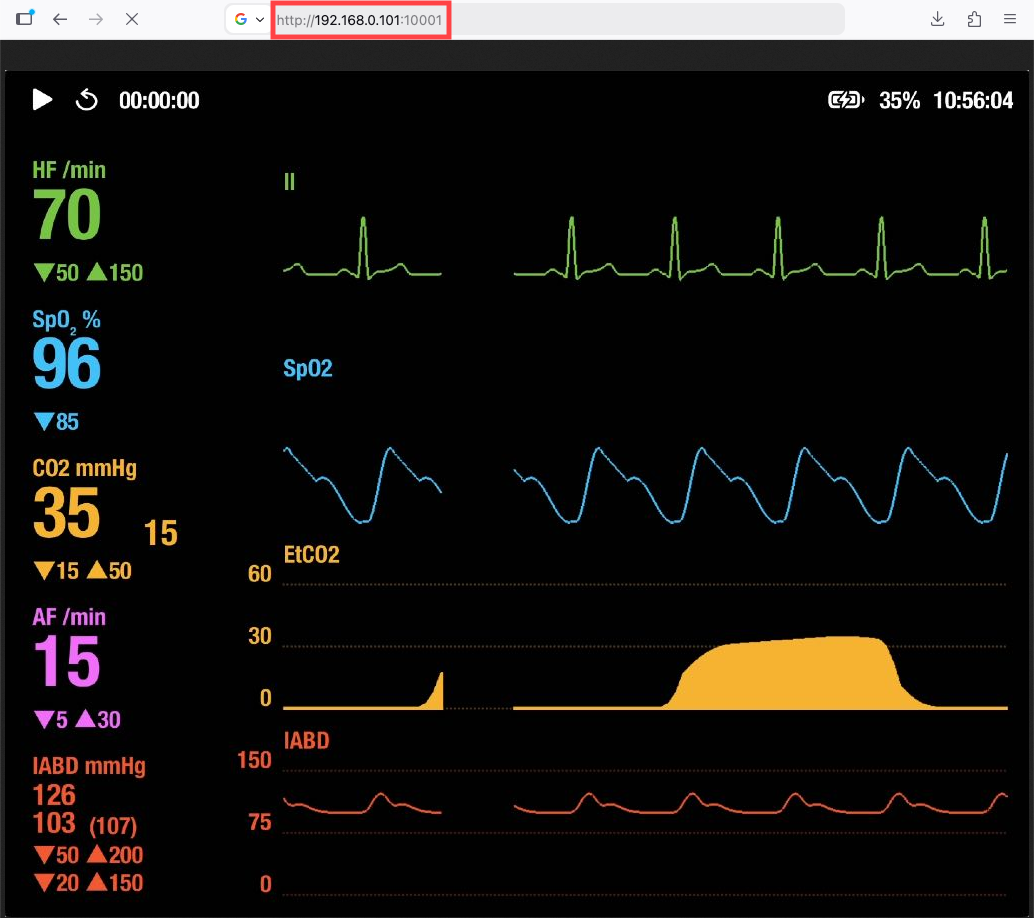
This IP address (https//192.168.0.101:10001) must be completely typed into the browser on the device where the content is to be displayed.
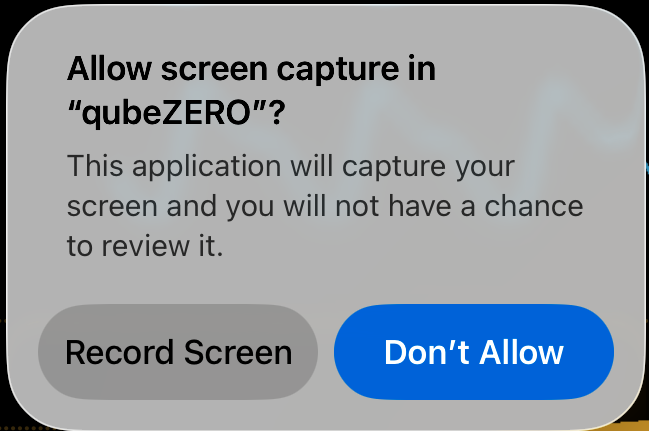
Finally, screen recording must be enabled on the monitor.
Now the screen content (without controls) will be displayed live in the browser; operation via the browser is not possible.
Troubleshooting
|
Problem |
Possible Cause |
Solution |
|
The link is not working |
The devices are connected to different Wi-Fi networks. |
Please ensure that all devices are connected to the same Wi-Fi. |
|
Weak Wi-Fi connection |
Interrupted or weak Wi-Fi connection. |
Make sure that the TP-Link is positioned in a place that offers optimal Wi-Fi coverage for both the monitor and the controller. Too much distance can lead to a weak connection. Also, avoid overloading the Wi-Fi by limiting the number of connected devices. |
|
Incorrect monitor is being transmitted |
Interrupted or weak Wi-Fi connection. |
Ensure that the correct monitor is connected to the controller and that the correct IP address has been entered. |
|
IP address is not displayed |
The IP address is only displayed if a monitor is connected to the controller. |
Try to reconnect the monitor to the controller. |
|
qubeCONTROL and qubeMONITOR cannot be connected |
The app versions do not match. |
Check if updates are available for both apps and install them to ensure that both are using the same version. |