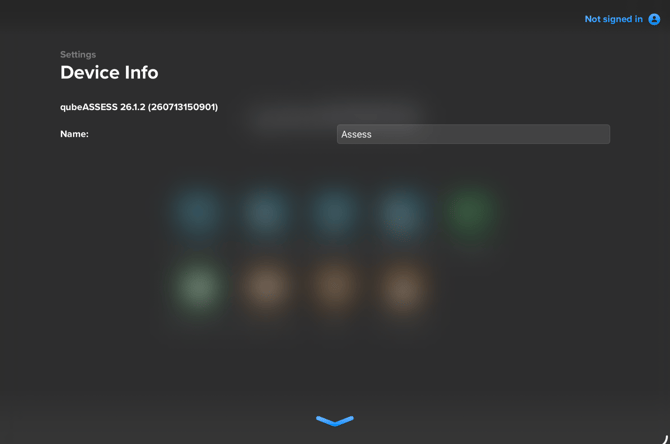
Depending on the device, the device may need to be renamed in different settings.
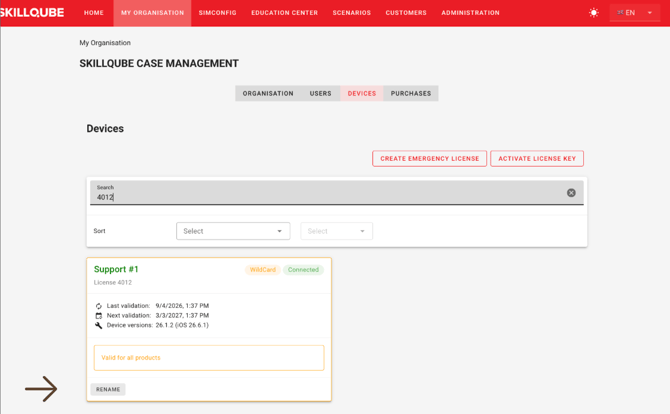
qubeCONTROL:
The controller name always corresponds to the name of the activated license. The license name can be changed in qubeCLOUD under My organization > Devices. First, the relevant license must be located there. Then, the license can be renamed in the license tile at the bottom.
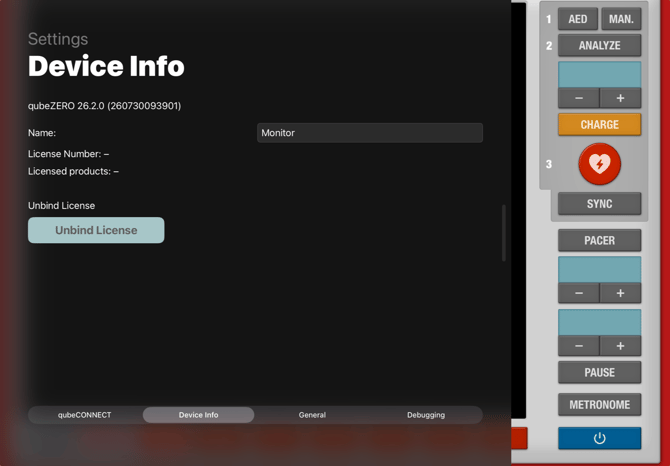
qubeMONITOR:
You can change the name of the qubeMONITOR within the respective app. To do so, either click on the app logo (z. B. qubeC3, qubeX, qubeZERO etc.) within the app, or swipe from the left edge of the screen toward the center to open the device information. The device information screen displays the name, among other details. Now all you have to do is tap the text field to change the name. The change is saved automatically.
qubeASSESS:
The name qubeASSESS can be changed within the app. To do this, either click the blue gear icon in the top left corner of the app to open the device information. The device information will display the name, among other things. Simply click the text field to change the name. The change will be saved automatically.